
SAF-T UA mandatory from 2026
Can’t generate the file within 2 days after a tax authority request? Automate the process — from data collection to a valid XML.
- Integration with BAS/1C, Oracle, SAP and other ERP systems
- SAF-T validation according to tax authority requirements (150+ checks)
- Processing of 5M+ transactions per month













COMPREHENSIVE SUPPORT WITH AUDIT-INVEST
EMEA IT Solutions and Audit-Invest have joined forces to support Ukrainian businesses in implementing the new SAF-T UA reporting format. Through this partnership, clients receive complete technological and consulting support: the MySAF-T solution and audit backing from Audit-Invest — over 15 years of experience and 320+ client companies.
Our combined efforts are focused on making the adaptation to new reporting requirements as easy and effective as possible.
View details >>What is
SAF-T UA?
SAF-T UA (Standard Audit File for Tax) is a unified electronic format for exchanging accounting data between companies and the State Tax Service of Ukraine.
Legal framework
Draft law No. 6255 and Ministry of Finance Order No. 1393 establish mandatory SAF-T UA submission for large taxpayers starting January 1, 2025.
Who must submit?
Mandatory for large taxpayers starting January 1, 2025, and for all VAT payers starting January 1, 2027.
Only 2 days to submit
After receiving a request from the tax authority, you have only 2 working days to generate the file. Missing the deadline may result in penalties.
Risks of manual preparation
Manual creation of SAF-T often leads to errors, rejection by the tax authority, and loss of time due to the complex XML structure.
Structure of the SAF-T UA file
SAF-T UA consists of 4 main sections, each containing mandatory and conditionally mandatory data blocks.
01Header
02Master Files
- Accounting policies
- Transaction features
- General ledger accounts
- Taxonomies
- Customers
- Suppliers
- Tax table
- Unit of measure table
- Analysis type table
- Movement type table
- Products inventory/catalog
- Physical stock
- Owners (shareholders)
- Fixed assets
- Tax differences
03General Ledger Entries
- Journal
04Information on supporting accounting documents
- Sales data
- Purchase data
- Payment data
- Inventory movements
- Fixed asset transactions
- Accounting notes and other documents
The Process of Preparing the Perfect Report
We have transformed the complex process of generating an XML file into a clear step-by-step algorithm for the user.
Consolidation
Upload data from BAS/1C, Oracle, SAP, or Excel in one click. The system automatically recognizes the structure and distributes the data into the appropriate tables (Inventory, Assets, Journal Entries).
Automatic Audit
Run the validation module. The system will highlight problem areas in red and provide a detailed description of each error (for example, "Missing tax code in transaction No. 12345").
Correction
Make corrections directly in the interface tables or upload an updated data fragment.
Generation
Generate the final XML file. At this stage, it is already guaranteed to meet technical requirements.
Export
Download the finished file to your computer to apply a qualified electronic signature and submit it via the taxpayer’s electronic cabinet.
MySAF-T has 150+ checks before submitting the file to the tax authority
MySAF-T detects errors at every stage — from data import to the final XML. You fix issues before the tax authority sees them.
Import stage validation
The system starts working even before the data enters the MySAF-T database.
- Instant source analysis
- Filtering
Technical SAF-T audit
Guarantees that the file will successfully pass the tax authority gateway. We validate the file against the following parameters:
- XSD validity
- Structural control
- Syntax
Deep business validation
The most important level — validation of the substance of your data, not just the form. The system acts like an electronic auditor:
- Integrity control
- Cross-checking
- Mathematical accuracy
Error correction without re-import
You don’t need to contact IT or reload the entire database because of a single error.
- Point editing
- Change logging
How MySAF-T works with your accounting system
MySAF-T retrieves data from your accounting software, validates it, generates a ready SAF-T UA file, and stores the history of all changes.
Directly from the accounting system
File upload
Data collection
Combines information from different sources into a single database
Validation
150+ checks of structure, mandatory fields, and business logic
File generation
Creates a ready XML file according to the SAF-T UA standard
Change log
Records all actions for internal audit purposes
MySAF-T in Numbers:
Choose the optimal solution for your business
Cloud Solution
- Reliable data storage in Tier III data centers
- International certificate
- 72 hours of autonomous operation in case of power failure
Local Solution
- Full control over data
- Storage in company infrastructure
- Confidentiality and security
MySAF-T Advantages
Everything you need for accurate and secure SAF-T UA submission — in one tool
Participant in the e-audit system implementation
MySAF-T is part of the electronic audit ecosystem in Ukraine. The product is developed in line with tax authority requirements and is ready for new regulatory changes.
Suitable for companies in any industry
Trade, manufacturing, services, finance — the solution is universal. There is no need to adapt internal processes: MySAF-T flexibly adapts to your business.
Unique methodology from industry experts
MySAF-T was created in collaboration with practicing accountants and auditors. Every check reflects real requirements of Ukrainian tax legislation.
Automatic updates for new requirements
When regulatory standards change, MySAF-T updates automatically without involvement of your IT team. You always submit an up-to-date file in accordance with current regulations.
Support at every stage
We assist from the first data import to generating the final SAF-T file so you can be confident in the result.
Proven in real Ukrainian businesses
MySAF-T has been successfully implemented in companies across various industries. The experience is confirmed by real clients and positive feedback from finance professionals.
Get a personalized MySAF-T demo
See MySAF-T in action
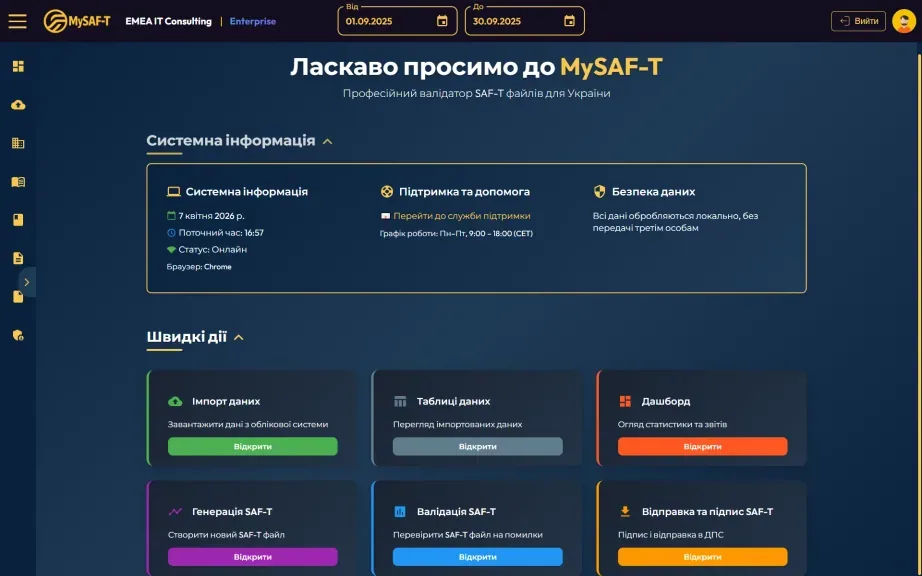
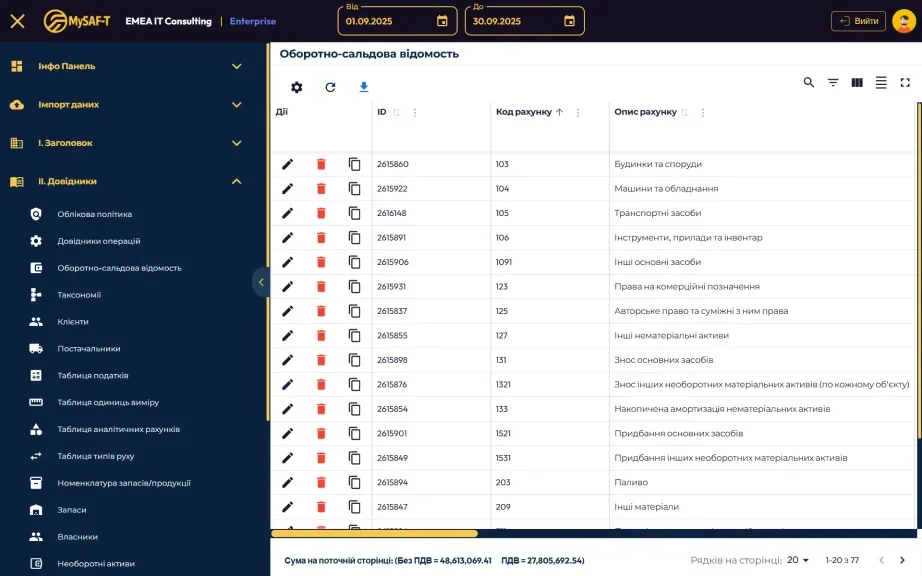
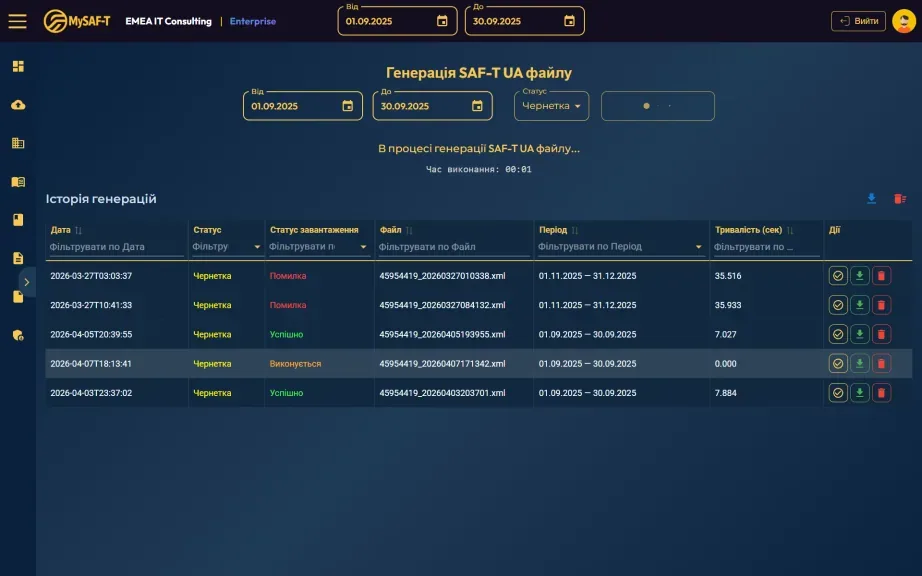
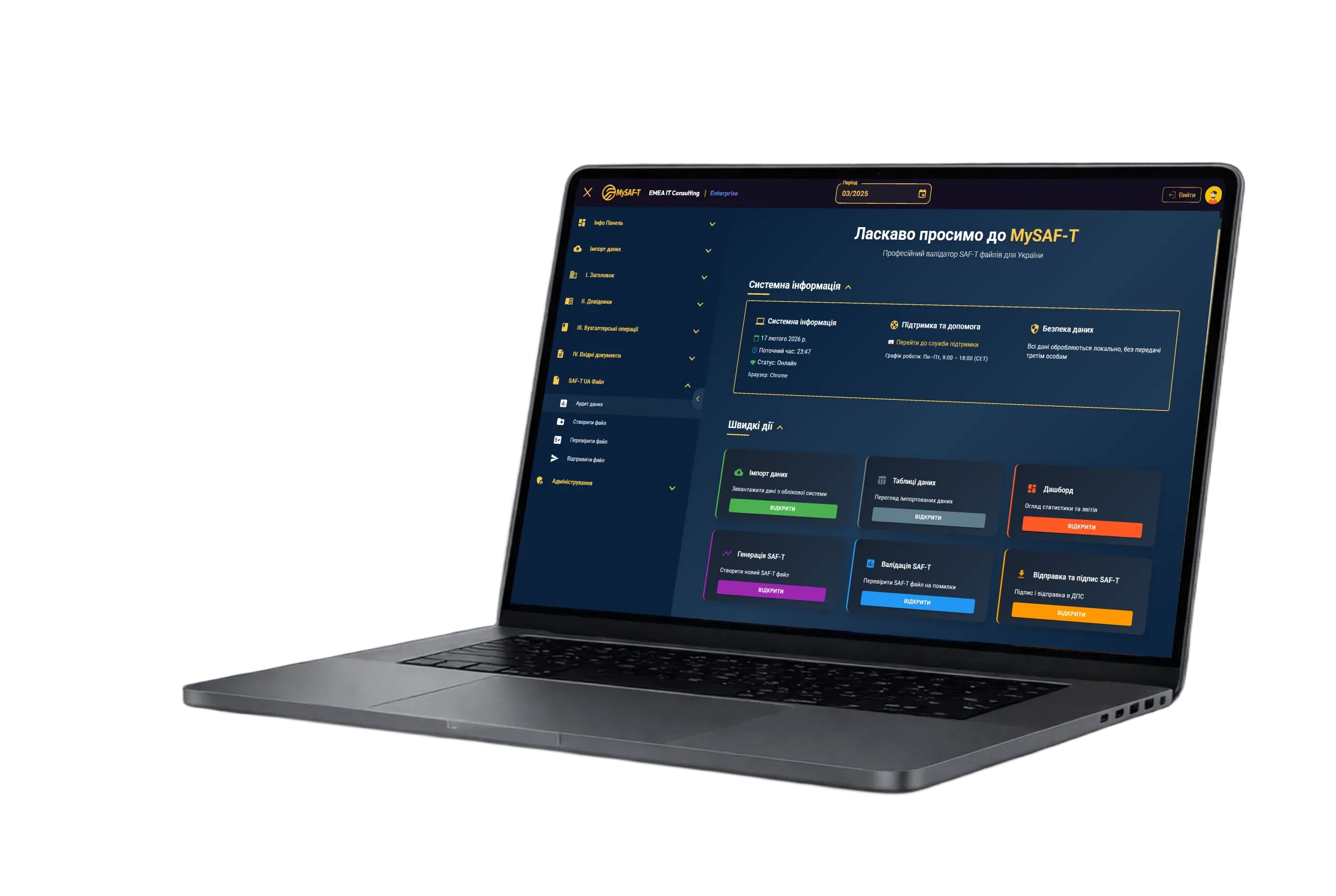
MySAF-T is a software solution designed to generate the SAF-T UA (Standard Audit File for Tax Ukraine) in accordance with the requirements of the State Tax Service of Ukraine. Ensure data validation and generation of a valid XML before submission.
Make sure your data complies with the SAF-T UA standard before submitting to the tax authority.
Version 4.3.7 dated 01.04.2026
Questions and answers about SAF-T UA.
SAF-T UA is a unified electronic reporting standard for the State Tax Service of Ukraine. It allows tax authorities to automatically analyze company data. Currently, it is mandatory for large VAT payers.
As of now — large taxpayers. In the future, the STS plans to extend the obligation to medium-sized businesses as well.
In theory — yes, but in practice it is very difficult and risky. SAF-T UA has a strict XML structure with dozens of required blocks and rules. Manual generation leads to errors and rejections.
MySAF-T automatically generates the SAF-T UA file based on your ERP system data, validates it, and helps submit it to the STS in a few clicks.
Compatible with BAS/1C, SAP, Oracle and other ERP systems. Integration is simple — no scripting or changes to your accounting system required.
Yes. The built-in validator checks structure, logic, required fields, and deviations from the SAF-T UA standard.
Yes. We offer free demo access where you can see how MySAF-T works with your own or test data.
At this moment — no. Submission is done through external services such as PTAKH or the Tax Office portal. MySAF-T generates a validated file ready for upload. As soon as the tax authority provides official integration, it will be implemented.
SAF-T UA updates

Most Common SAF-T UA Errors: Why Tax Authority Rejects Your File and How to Fix It
FE-20, RE-1, FE-119 and more: analyzing the most common SAF-T UA validation errors with specific solutions.
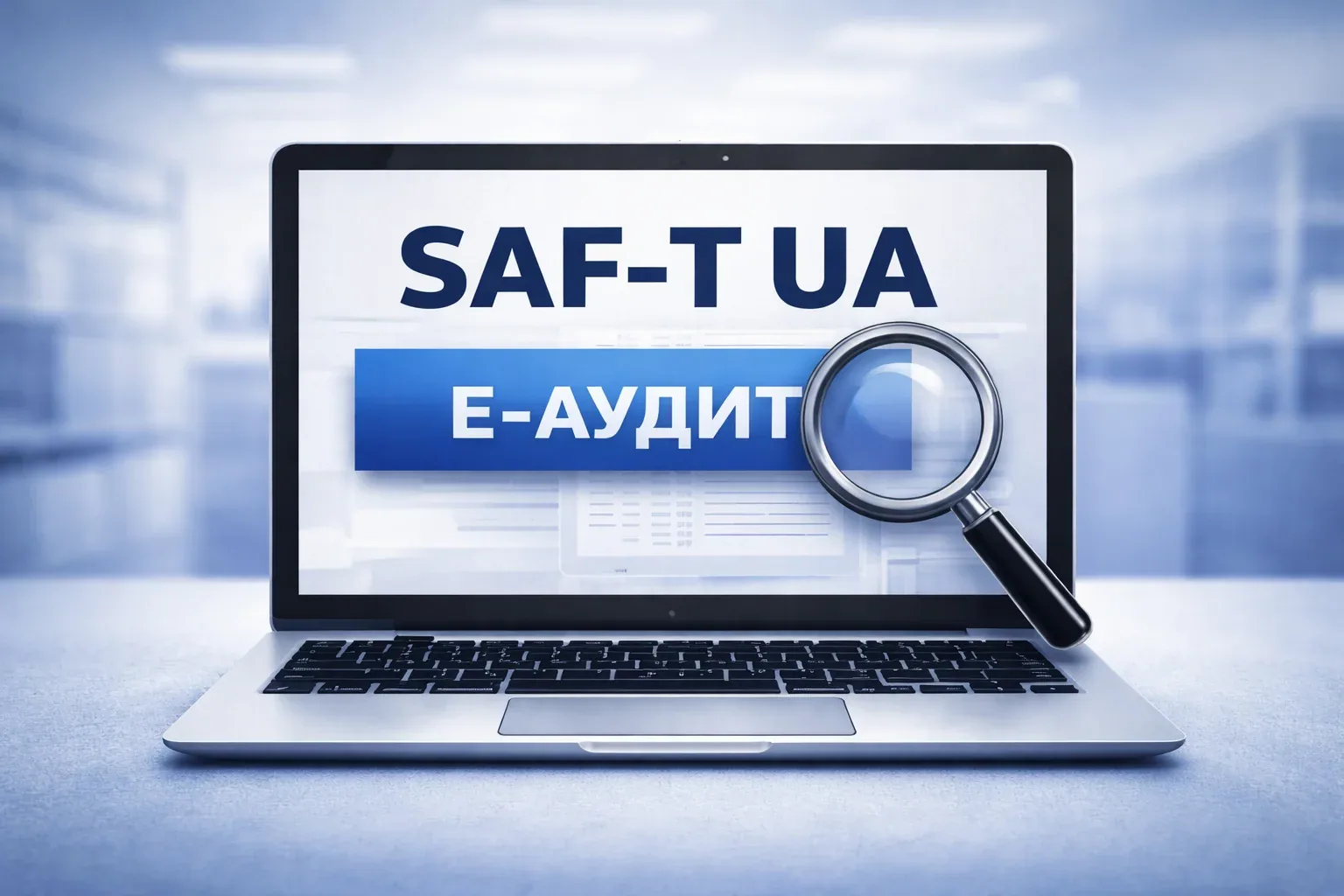
E-audit in Ukraine is already live. Is your SAF-T UA ready?
From January 1, 2026, the tax authority has launched e-audit based on SAF-T UA. Why should businesses start preparing now?

SAF-T UA: what it is and why every accountant should know it
What the file contains, how the standard works, and the benefits.
Don’t Risk Your Reporting. Validate Your Data Before Submission.
Request a personalized MySAF-T demo using real data. We’ll show how the system detects errors others miss and generate your first fully compliant SAF-T file.
More than software. An engineering approach to tax security. We combined the power of an automated system with the logic of an experienced accountant. MySAF-T automates routine tasks, validates every digit, and relieves your team from the burden of responsibility for the technical nuances of the SAF-T UA format.

PHONE (FOR GENERAL INQUIRIES)
+38 050 021 68 50PHYSICAL ADDRESS
11 Sverstiuka Yevhena St., Kyiv, Ukraine, 02002
E-MAIL (FOR GENERAL INQUIRIES)
info@emea-saft.comWORKING HOURS
Mon. – Fri.: 9:00 – 18:00
Sat. – Sun.: Closed